
 Free
FreeClassic
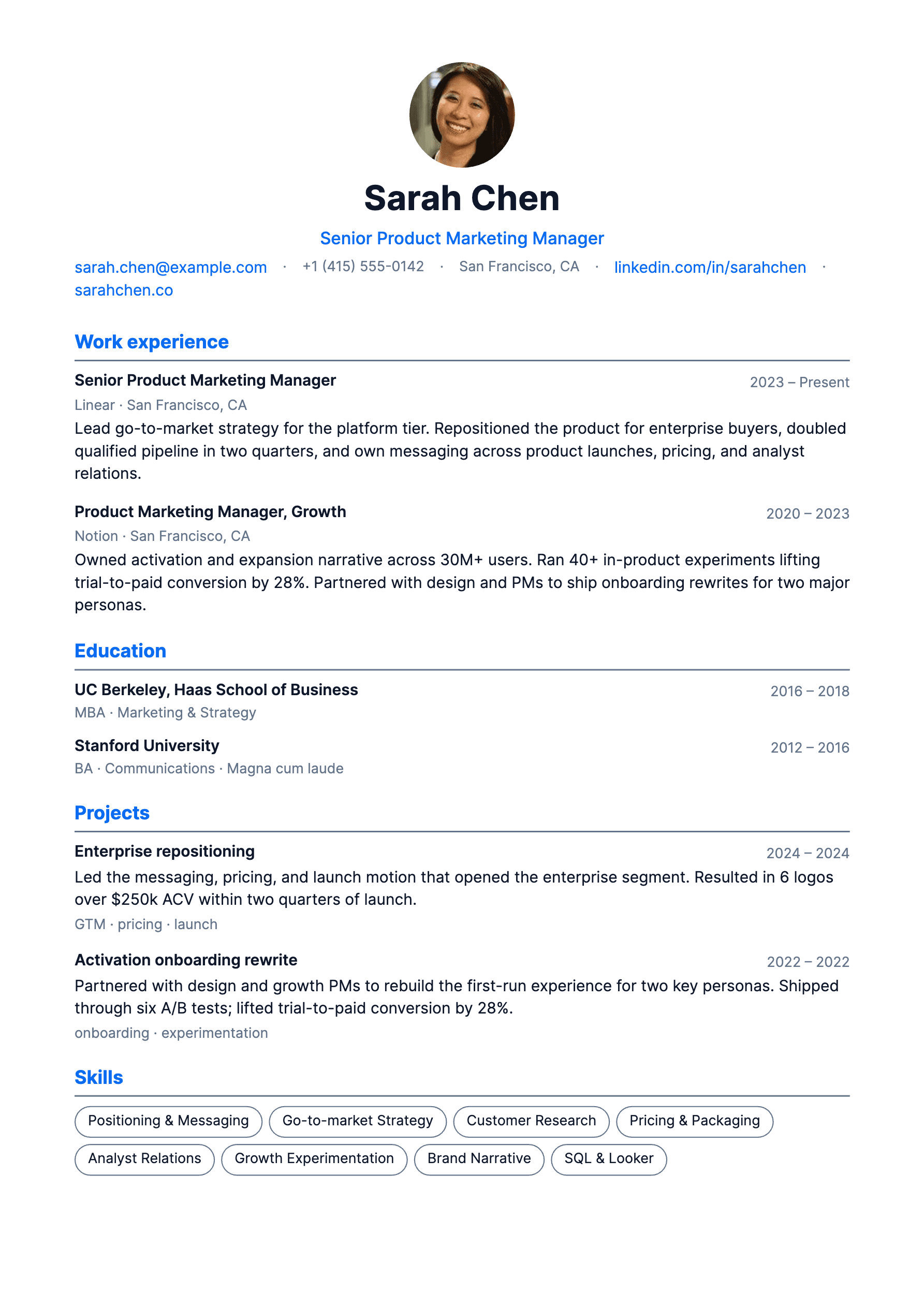
Clean single column with a calm blue accent. Reads well on every ATS and never fights the content.
Use this templateApplying Pal resume builder
No sign up required. Download the PDF for free.
Fill out the form on the left, see the real PDF render on the right, and download exactly what you see. No preview gap, no surprise reformatting on export.
Free templates. Free PDF. No account anywhere in the flow.
Personal
Name
Title
Summary
Sections
Senior Product Engineer
Summary
Experience
ATS friendly
Parses cleanly on every major tracker.
PDF ready
Vector export, crisp at any zoom.
No sign up
Open the builder and start writing.
Templates
Every template in Applying Pal is free to use, free to download, and built to pass the parser without losing the personality.
FreeClean single column with a calm blue accent. Reads well on every ATS and never fights the content.
Use this template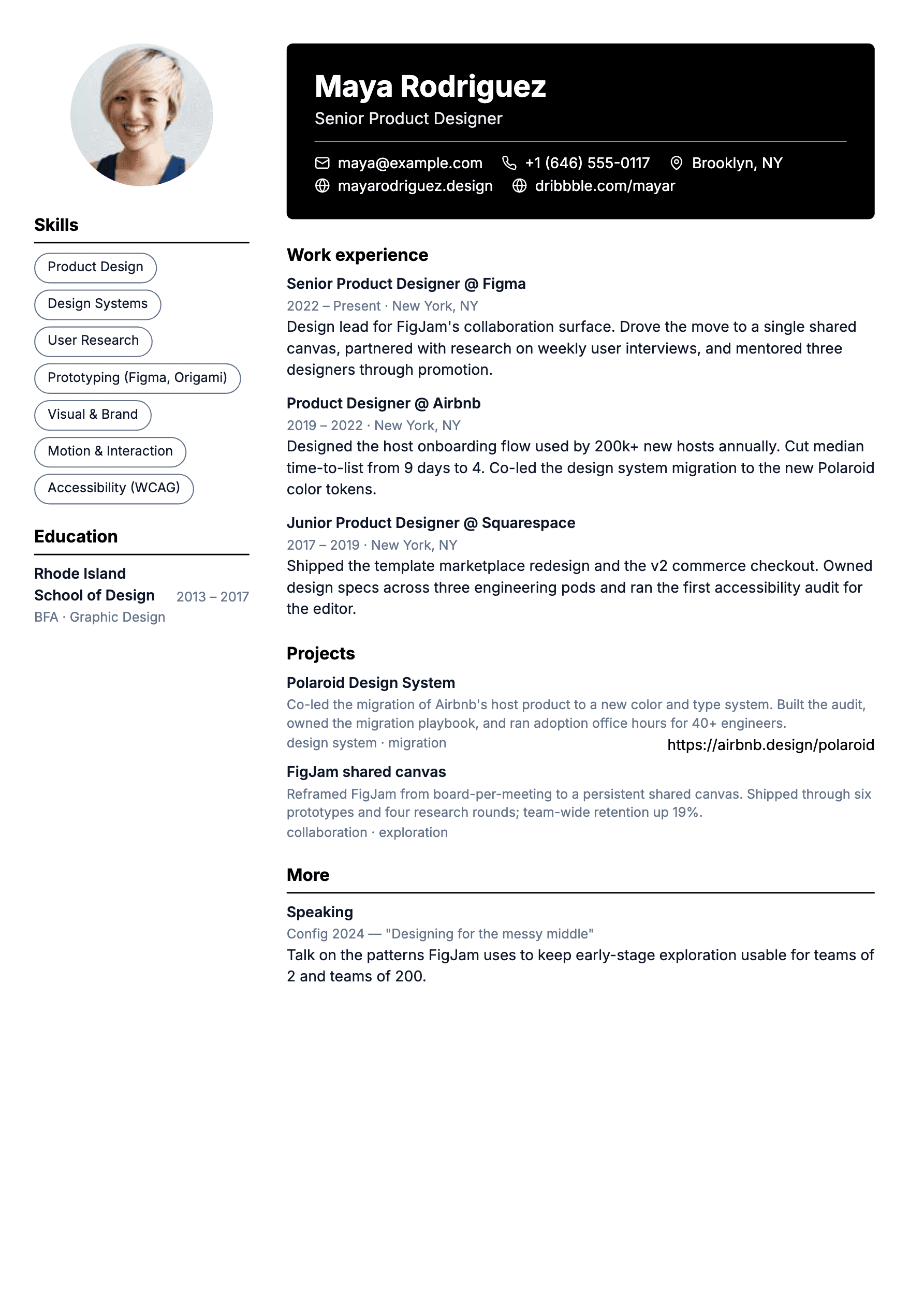 Free
FreeTwo column layout with a warm sidebar. Skills and education on the left, story on the right.
Use this template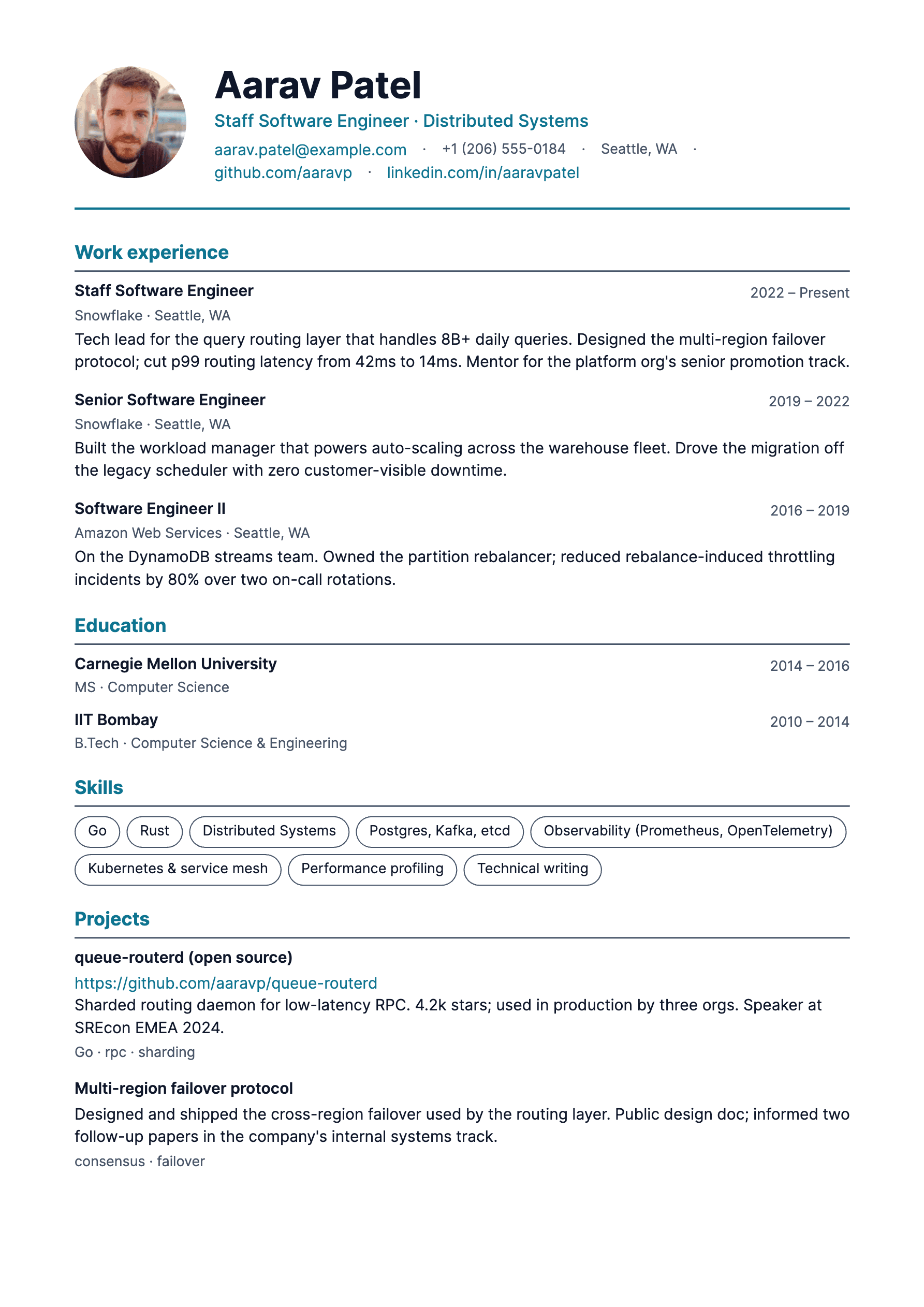 Free
FreeConfident teal serif accents. For senior roles that have a lot to say without crowding.
Use this template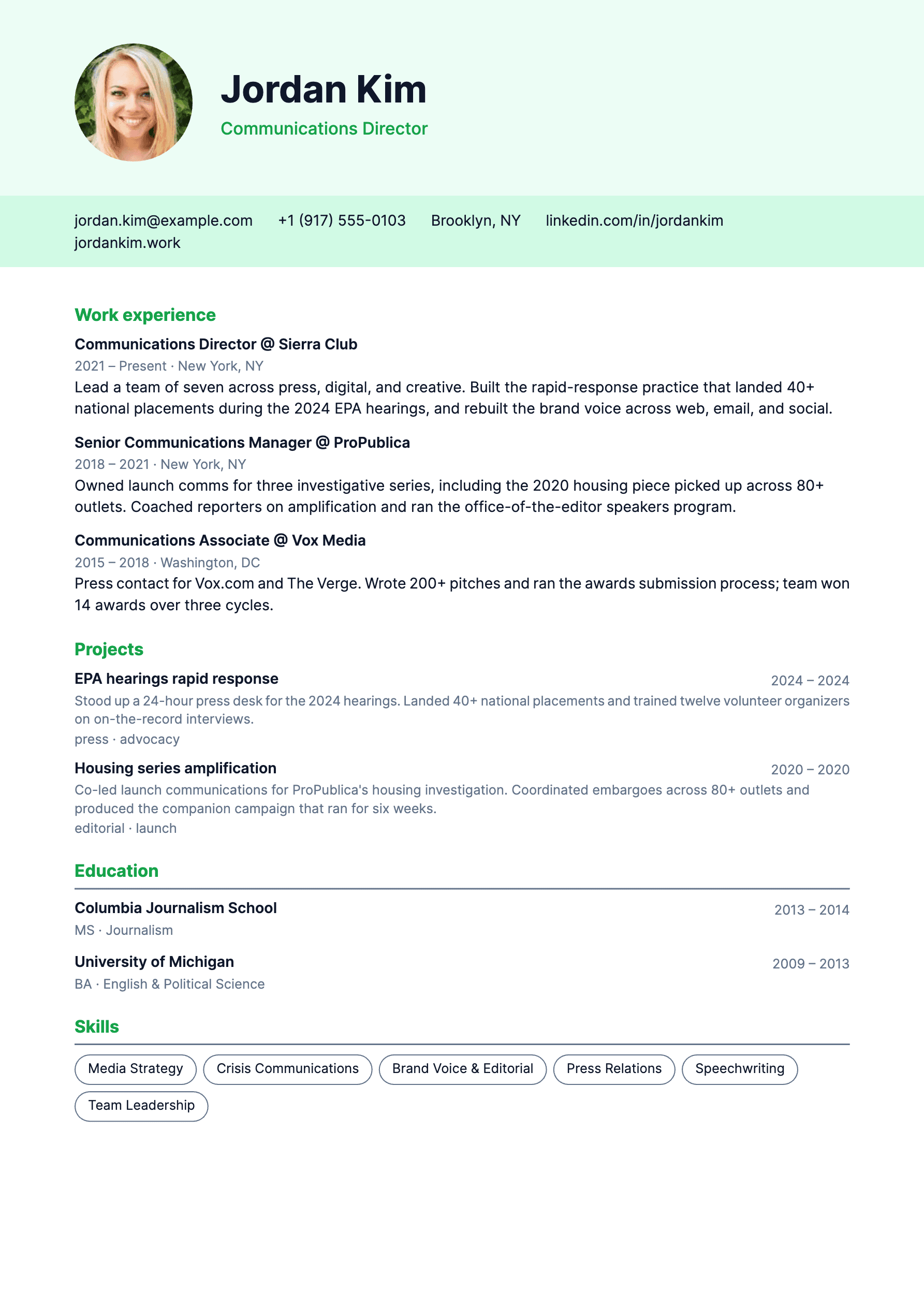 Free
FreeDense single column with green section markers. Built for engineers who measure things in bullets.
Use this template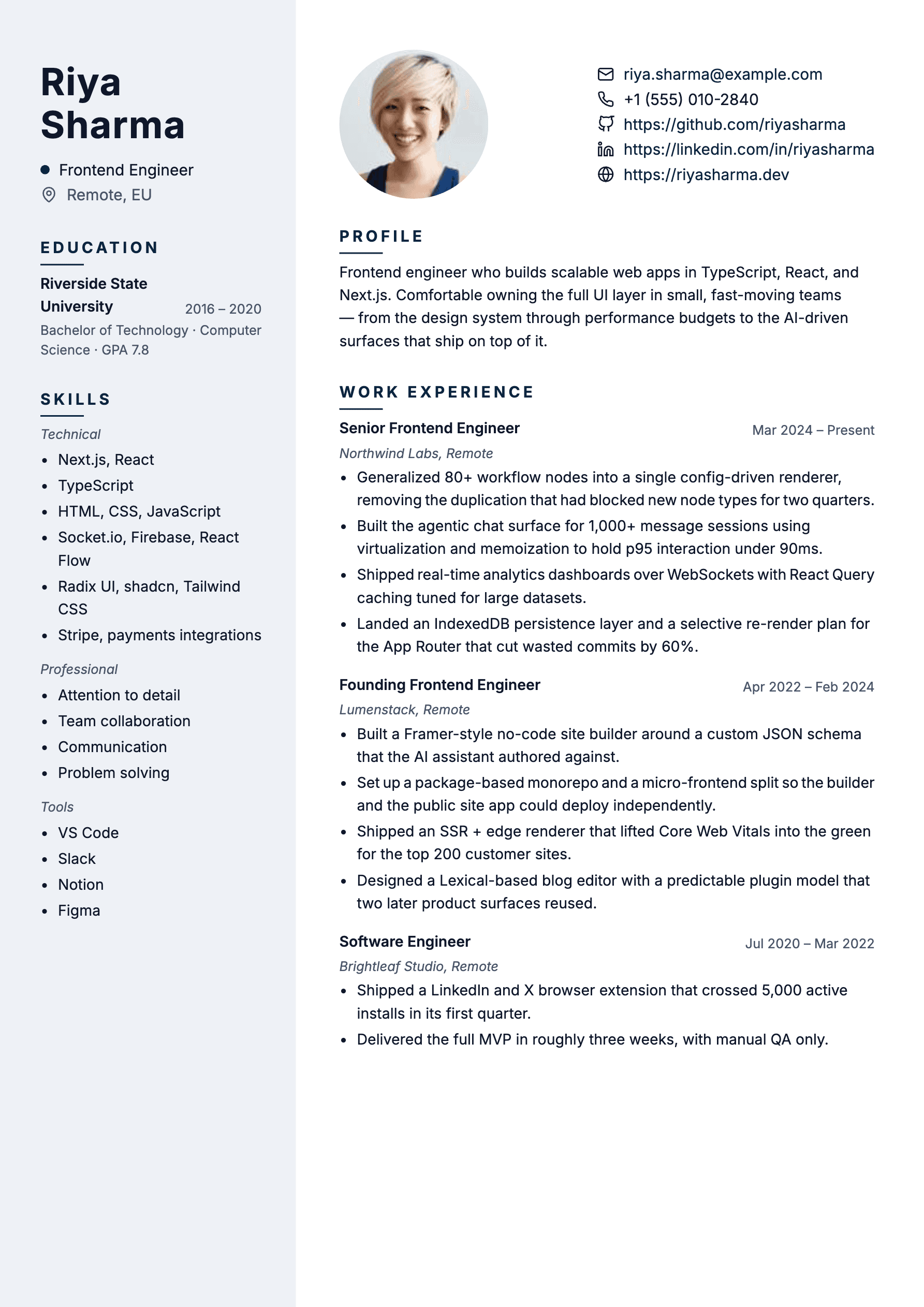 Free
FreePhoto-led header with a soft blue identity sidebar. Letter-spaced section labels keep the scan crisp.
Use this templateThe friction-free part
Most resume tools wall the download behind an email, a credit card, or a watermark you have to pay to remove. Applying Pal does none of that. The free templates work without an account, the PDF export is free, and your draft lives in your browser unless you decide to save it to your account.
Why the live PDF preview matters
Most builders show you an HTML approximation while you fill out the form, then render something different when you export. Applying Pal renders the actual PDF in the preview pane, live, while you type in the form on the left. The file you download is the same file you have been looking at. No surprise font swaps. No broken spacing. No export tab to switch to.
Applicant tracking systems
Modern ATS software reads PDFs as a stream of text. Fancy tables, image headers, and exotic columns break that stream. Our templates use real text, real headings, and consistent ordering so the parser sees what a recruiter sees. No keyword stuffing required.
Alex Morgan
Senior Product Engineer
EXPERIENCE
Lead Engineer at Hatchwave, 2022 to now
Shipped the analytics rewrite, 80 percent latency drop, three legacy services retired.
EDUCATION
BSc Computer Science, Carnegie Mellon
Reviews
Engineers, designers, and operators on what changed when they stopped guessing what the export would look like.
“I rewrote my resume in maybe forty minutes. The PDF I downloaded was the same PDF I had been staring at the whole time, which sounds obvious until you remember it never is.”
Priya Raman
Senior Frontend Engineer, Hatchwave
“Recruiter at a YC company told me the formatting looked clean and the parser picked up every section. I had not even signed in.”
Marcus Chen
Product Designer, Stage Theory
“I have used four other resume builders. Each one wanted an email, a card, or a $9 unlock. Applying Pal just let me download the file.”
Sara Okafor
Data Scientist, Northcomb
“I rewrote my resume in maybe forty minutes. The PDF I downloaded was the same PDF I had been staring at the whole time, which sounds obvious until you remember it never is.”
Priya Raman
Senior Frontend Engineer, Hatchwave
“Recruiter at a YC company told me the formatting looked clean and the parser picked up every section. I had not even signed in.”
Marcus Chen
Product Designer, Stage Theory
“I have used four other resume builders. Each one wanted an email, a card, or a $9 unlock. Applying Pal just let me download the file.”
Sara Okafor
Data Scientist, Northcomb
“The live PDF preview is the killer feature. I dragged a section in the form, watched it slot into place on the right, and never thought about it again.”
Jonas Weber
Engineering Manager, Brightline
“Used it on a Sunday night, applied to six roles, heard back from two by Wednesday. The resume is doing the talking.”
Devika Iyer
Marketing Lead, Mintlify
“The Two Column template fit my sidebar-heavy resume perfectly. The colors are tasteful, which is rare in this category.”
Ethan Park
Staff iOS Engineer, Arc
“The live PDF preview is the killer feature. I dragged a section in the form, watched it slot into place on the right, and never thought about it again.”
Jonas Weber
Engineering Manager, Brightline
“Used it on a Sunday night, applied to six roles, heard back from two by Wednesday. The resume is doing the talking.”
Devika Iyer
Marketing Lead, Mintlify
“The Two Column template fit my sidebar-heavy resume perfectly. The colors are tasteful, which is rare in this category.”
Ethan Park
Staff iOS Engineer, Arc
Frequently asked
Yes. Every current template is free to use without an account. You can download as many PDFs as you want, and there is no watermark on the file.
No. Open the builder, write your resume, download the PDF. Sign in only when you want to save drafts across devices.
Our templates are built around how applicant tracking systems actually parse PDFs. Real text, standard section headings, no images masquerading as words. We test against Greenhouse, Lever, Ashby, and Workday parsers.
Yes, PDF is the default export. The file is vector based, so it stays crisp at any zoom level and prints cleanly.
Most builders show you an HTML approximation while you fill out the form, then re-render the document at export time. Applying Pal renders the actual PDF in the preview pane, live, as you type. The file you download is the same file you have been looking at. No surprise reformatting on export.
Yes. Sign in to save versions. Duplicate any resume, tailor the bullets for a specific role, and keep both. Great for applying to different kinds of positions.
Free templates, no sign up, no rendering surprises. Fill out the form and watch the PDF take shape.